
If you're preparing for your first CFA® exam, you might know how to solve a question and still lose time finding your way around the screen. In CFA computer-based testing (CBT), you read and answer every question on a computer at a proctored test center. At Level I, you work through standalone questions. At Levels II and III, you may need to go back to a case to check a figure before you answer, and at Level III you also type responses.
Knowing how your level presents questions tells you what to practice. Start with the official software, then build a rehearsal around the way your exam asks you to read, answer, and manage time.
Quick Answer
All three CFA Program exams are taken on computers at proctored test centers. Each level has two timed sessions with an optional break between them. CFA Institute links to a Prometric tutorial so you can see how questions and answer fields appear before your appointment, and a timed practice block lets you rehearse the format for your level.
Key Takeaways About CFA Computer-Based Testing
Plan for more time at the center than the two exam sessions. Check-in, the on-screen introduction, and the optional break all add to your appointment.
If you're taking Level II or III, practice finding a single fact in a case. On a smaller screen, the case may open in a separate view.
Give each practice session a purpose. Topic quizzes check what you know, and timed sessions show where your pace slows.
After a timed block, choose one change to test next time. An unfinished question and a wrong answer usually call for different fixes.
What Happens at a CFA Test Center?
CFA Institute recommends arriving 30 minutes before your appointment. After check-in and security, the on-screen introduction takes you through a candidate pledge and a software tutorial. Pay attention to the prompts so you know when the tutorial ends and the first timed session begins. The CFA Institute exam-day guide lays out the full sequence.
You can take an optional break between the two sessions, and the day wraps up with a short survey after the second one. If this is your first exam, the Level I format and test-day checklist covers what to bring and what to do before you leave for the center.
What Does the CFA Exam Interface Look Like?
The CFA exam interface changes with the question format. At Level I, each question stands on its own. At Levels II and III, a case, also called a vignette, supplies the information for a group of questions. Depending on the monitor, the case appears beside the answer area or opens separately.
CFA Exam Format and Timing by Level
Level | On-screen question format | Testing time |
|---|---|---|
180 standalone multiple-choice questions with three choices each | Two 135-minute sessions, 270 minutes total | |
22 case-based item sets with 88 multiple-choice questions | Two 132-minute sessions, 264 minutes total | |
Case-based multiple-choice sets and typed constructed-response sets | Two 132-minute sessions, 264 minutes total |
How Questions and Answer Fields Appear
At Level I, you select one of three choices. A prompt is either a direct question or a statement you complete.
Screen size matters more at Levels II and III. According to CFA Institute's hardware and software guidance, Level I questions look the same on any screen, while a standard 17-inch monitor shows a Level II or III case beside the answer area. On a smaller screen, the case can open on its own before you move to the questions. If you need to check a detail, the Case Scenario icon above the question brings the case back into view.
For Level III constructed responses, look for the bolded command word in the prompt, such as explain. It tells you what your answer needs to do. The answer box accepts typed words and numbers, and for a calculation, a correct number typed into the box on its own gets full credit. The formats differ in more ways than the screen. For the rest, see how the CFA exam formats differ by level.
How to Use the Official CFA Exam Software Tutorial
Start with the official software preview linked by CFA Institute, which opens the Prometric tutorial. Focus on what you need to read or enter for your level, since the demo may include question types you won't see on your exam.
Level I. Find the prompt and the answer choices. Notice where the information sits when a question includes a table.
Level II. Locate the case and its questions. Where a case appears separately, practice bringing it back into view before you look up a detail.
Level III. Find the space for a typed answer. Check how the prompt signals whether it wants a reason, an explanation, or a number.
Give the preview one job: learn where to find what you need on the screen. Save a separate practice block for checking what you know and how quickly you can apply it.
How Do CFA Practice Questions, Mocks, and Simulators Differ?
Start with the task you need to practice. An individual question lets you check a concept, while a short topic quiz shows whether you can apply it more than once. A computer-based CFA mock exam lets you rehearse a longer session. A CBT-style layout adds screen practice, though its features depend on the provider.
Resource | Use it to practice |
|---|---|
Official Prometric tutorial | Finding the information and answer fields you need on the official software. |
Individual questions or topic quizzes | Applying concepts and reviewing worked solutions. Registered candidates can use the CFA Institute Learning Ecosystem. |
Timed practice blocks and full mocks | Working under a time limit. Start with a short block and use a full mock when you want to rehearse session pacing. |
CBT-style quiz or simulator | Working through questions in an exam-style layout. Check which controls your practice tool offers. |
CFA Institute mock using the Prometric interface | Rehearsing with the exam software and time limits. CFA Institute lists this mock for Levels I and II in its optional Practice Pack. Check the options for your exam window. |
How to Prepare for CFA Computer-Based Testing
Preview the software first, then schedule a short timed block and a separate review. If you're studying around work or classes, the preview and a short drill fit into a weeknight. Save an uninterrupted block, like a weekend morning, for a full session. CFA Institute's practice and mock exam guidance can help you choose material for your level.
Rehearse Your Level's Question Format
Level I. Try 20 standalone questions in 30 minutes. That works out to the roughly 90-second average CFA Institute gives for Level I. Use it as a pace across the set, and let harder questions take longer.
Level II. Work through a timed case set. When you go back to the vignette, look for the specific figure, date, or constraint the question asks about. In a longer session, check how much time is left after each case so you can see which sets slow you down.
Level III. Alternate between multiple choice and typed responses. Try a prompt that asks for two reasons and write a short explanation for each. Afterward, check that both reasons address the prompt and that you didn't spend time typing details it never asked for.
Decide What to Change After Practice
Review unanswered questions and correct guesses alongside wrong answers. If you missed a formula, a short topic drill is the fix. If you understood a Level II question but lost time rereading the case, try naming the detail you need before you look back at the vignette. Carry one change into your next block and see whether it helps.
Common Mistakes to Avoid When Preparing for CFA CBT
Pausing the timer whenever a question gets hard. During a rehearsal, let the clock run so you can see how much time those questions take.
Opening explanations mid-session. Save feedback for the review, so a solution doesn't hand you a hint on a later question.
Reusing the same set for every pacing check. Familiar wording can make a repeat attempt feel faster than it is. Use a fresh set when you want an honest read on your pace.
How KeyPoint Learning Can Help You Prepare
KeyPoint Learning's practice quizzes come in two layouts, and they match the two kinds of practice covered above. Both are KeyPoint's own practice formats, separate from the official Prometric software.
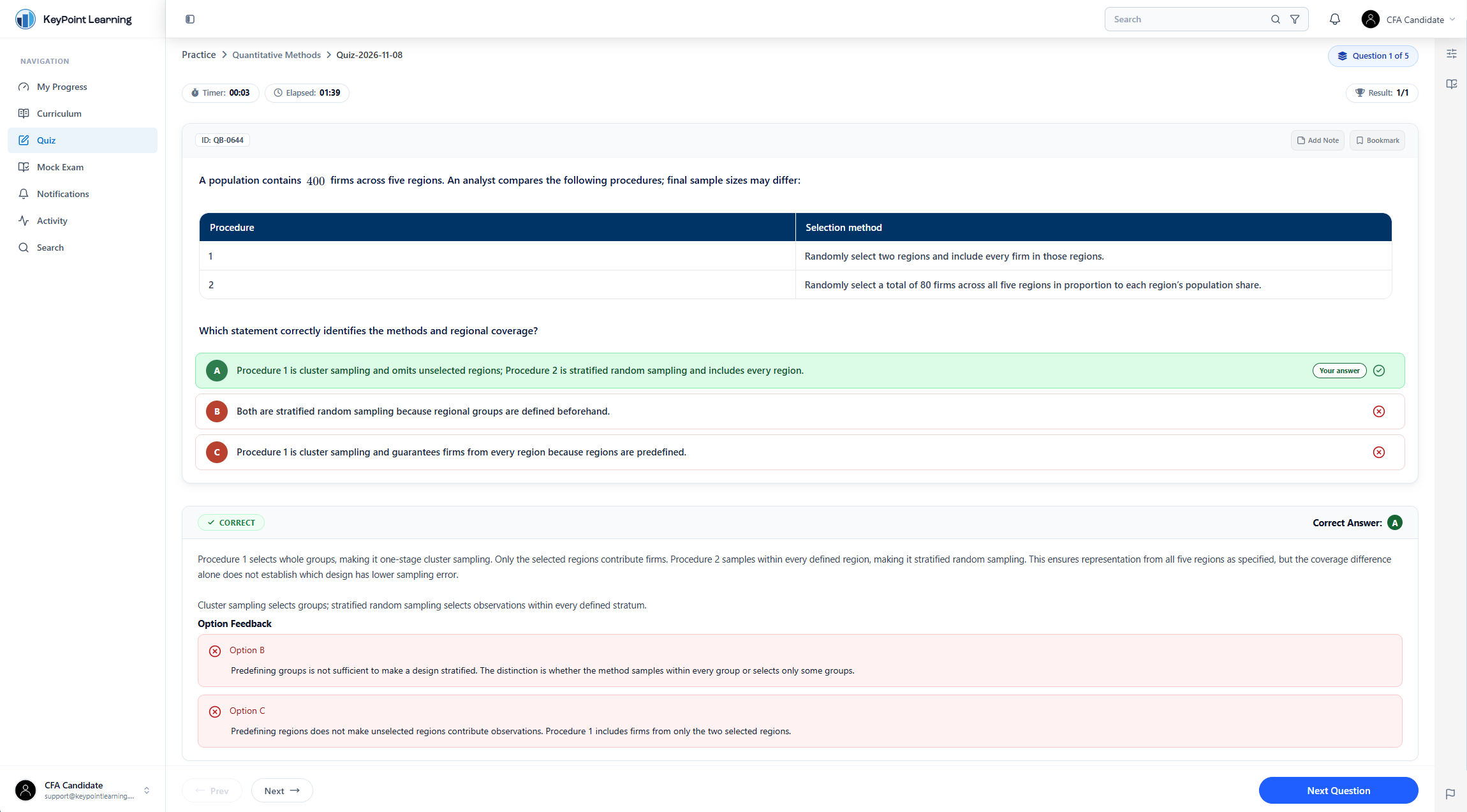
Standard practice is for learning a topic. You choose a CFA topic, a question count, and a difficulty level. With immediate feedback turned on, each answer shows whether you were right, along with a worked solution and explanations for the other choices. Notes and bookmarks let you save a difficult question and come back to it when you revisit the topic.
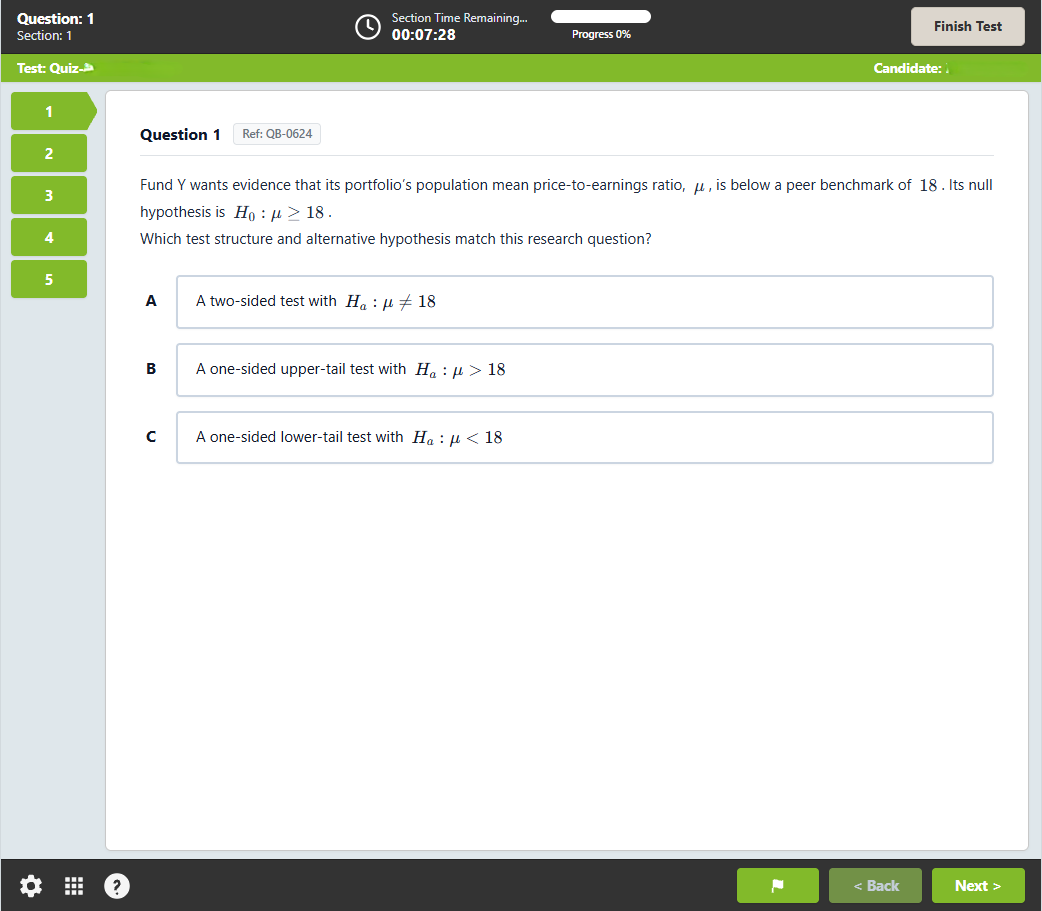
The CBT-style layout is for rehearsing your pace. It opens with a short KeyPoint tutorial, then shows a section countdown, a progress indicator, numbered question navigation, and a Flag for Review control. When you finish, you can go through your results question by question and pick what to revisit next.
Final Thoughts: Give Each Timed Block One Goal
Getting ready for CFA computer-based testing comes down to knowing the screen and knowing your pace. Open the official tutorial before your first timed rehearsal. Then choose one skill to practice in your level's format, such as keeping pace through a set of standalone questions or finding a figure in a case. Afterward, write down what you'd change and make that the goal for your next session.
If you are preparing for Level I, the next step is deciding how much structure you want. You can compare the CFA Level I study packages by access length, progress tracking, and support. Every package includes practice quizzes and mock exams, so you can put this approach to work in your next timed block.
Continue Your CFA Level I Prep With KeyPoint
Use structured lessons, practice questions, mock exams, and progress tracking to focus on the time you have left
FAQs About CFA Computer-Based Testing
Can I Take an Unscheduled Break During the CFA Exam?
Yes. CFA Institute allows up to two unscheduled breaks, and the testing clock keeps running while you're away. Follow the proctor's instructions before you leave your workstation. These breaks are separate from the optional break between sessions, as the CFA exam admission and appointment policy explains.
Does the CFA Test Center Provide Scratch Paper?
Scratch paper is one option, but the test center may provide a whiteboard or an erasable writing tablet instead. Use what the center supplies, and check the CFA Institute personal belongings policy for what you're allowed to bring.
Can I Use Bullet Points in CFA Level III Constructed Responses?
Yes. CFA Institute accepts bullet points. If the question asks for two reasons, give two. Graders evaluate responses in the order you give them, up to the number requested, and anything past that number isn't evaluated. Lead with your strongest points. The official Level III exam guide has the full response guidance.